Gameduino CircuitPython, show me what you can do!
The Gameduino code for CircuitPython is released. The Dazzler is available for four (yes four!) different microcontrollers - Arduino, Teensy, Rpi Pico and Feather.
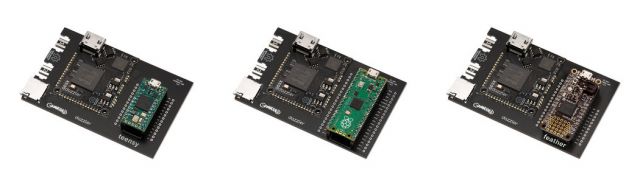
The hard work is done, and now it's the fun part: provide some (hopefully) amazing and compelling demos. So I spent a few happy minutes putting together a small demo, using the CircuitPython mascot blinka as a giant sprite. This demo runs at a nice steady 60 Hz on the Dazzler with Feather; it's just a simple sprite animation.
To begin with, here's the CircuitPython logo, loaded from a PNG and painted in the middle of the screen:

Next is the blinka mascot, again loaded from a PNG on the local drive.
 It's plotted 10 times, to make a spinning ring. Each one is rotated so that its head points towards the center.
Then the same ring, but smaller and spinning faster to make a gears-within-gears effect:

At this point I decided that the background looked a bit flat. What it really needed was a nice circular glow effect - a radial gradient. Fortunately I already had some code to do this from a couple of years ago:

It just needed to be converted from Arduino's C++ to CircuitPython: Very nice, if I do say so myself. It's a gaussian glow; all the math is a few lines of Python.
Here's the finished image:

The runnable demo is here, and if you just want to install it you can unzip this file in the CIRCUITPYTHON directory of your Teensy, Feather, Pico or Metro. It includes all the drivers and the demo in code.py, so it will run on reboot.
Teaser for next week: dusting off zmodem