Hands on with the Raspberry Pi Pico
Like many of us, on January 21st I woke up to a barrage of news about the new Raspberry Pi Pico. Microcontrollers launch all the time, but this one caught everybody's imagination. So I hopped over to Adafruit to order one before they sold out, and a few days later it showed up in my mailbox.
I must confess, I'm a sucker for cheap microcontroller boards. In the past I have bought other cheap 32-bit MCUs, and regretted it. I guess if you're selling assembled boards at $2-4, there's not much margin to pay for verification, documentation or QA. Put another way: things in the bargain bin are in the bargain bin for a reason.
(I'm not against cheap microcontrollers per se. For example I've now used about 20K of the Silicon Labs EFM8 microntrollers, at about $0.25 each. They are excellent, but obviously Silicon Labs sells a staggering volume of these to pay for the engineering to back it up.)
So it was a delightful surprise when the Pico behaved perfectly out of the box, has a datasheet told me everything I wanted to know, and was running CircuitPython in a few minutes. Like a lot of other boards, it handles firmware updates by appearing as a USB filesystem. You copy the firmware onto the drive and it runs. Very straightforward; no special tools to get started. This is progress.
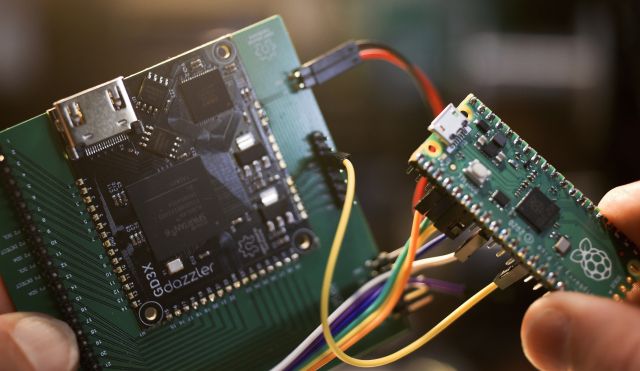
A couple of minutes later, having hooked it up to a Dazzler breakout board, I was looking at the Dazzler Python demos, all running identically.
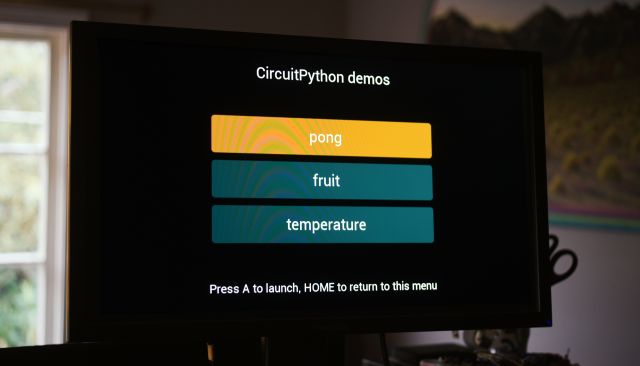
CircuitPython performance is pretty good, but a little below the speed of the Adafruit M4, which is a similarly-clocked Cortex M4. The Cortex M0 has no floating-point, so has to do software floating-point.
The M4 benchmark for reference:
Adafruit CircuitPython 6.2.0-beta.0-dirty on 2021-01-22; Adafruit Metro M4 Express with samd51j19
>>> import bench
0.0320129
1000 points took 32.0 ms
The Pico's M0 is quite respectable:
Adafruit CircuitPython 6.2.0-beta.1-56-g8789a2c8a on 2021-02-02; Raspberry Pi Pico with rp2040
>>> import bench
0.0419922
1000 points took 42.0 ms
So the next step was to lay out a board with everything hooked up properly. The board has:
- A Gameduino Dazzler module
- Two Wii joystick ports
- a microSD slot
- A socket for the Pico
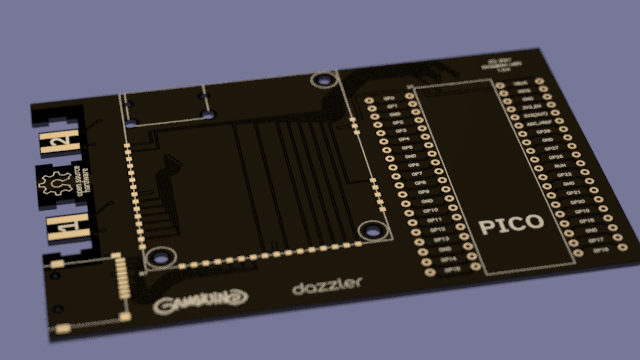
While I was doing this, I made a similar board for the Teensy. Likewise one for the Adafruit Feather footprint is coming next week.
Thanks for reading. The Pico board should be here by next Tuesday.